

Last updated: September 2026 – steps checked against the current Parivahan, Sarathi, DigiLocker and mParivahan services.
Want to know when your driving licence expires, which vehicles it covers, or whether it’s still active? You can check all your driving licence details online for free, using just your DL number and date of birth. This guide explains how, what each detail means, and how to track a licence application that’s still in progress.
What Details Can You Check Online?
Method 1: Check DL Details on the Parivahan Website
Menu names vary slightly between states. If you can’t find the option, look for the label closest to “DL Status”.

Method 2: Check in mParivahan or DigiLocker
If you add your licence to the NextGen mParivahan app (using your DL number and date of birth) or fetch it in DigiLocker, you can see your full licence details, including photo, validity and vehicle classes, at any time on your phone. Both versions are also accepted by traffic police as a valid licence. See our step-by-step guide on how to download your driving licence.
Checking a Licence Application That’s Still in Progress
If you’ve applied for a new licence, renewal, duplicate or change of address and don’t have the licence yet, check Application Status instead:
For more help, see our guide on Parivahan application status. After you pass the driving test, the digital licence usually appears within a few days, and the smart card normally arrives by post within a few weeks.
Understanding Your Driving Licence Number
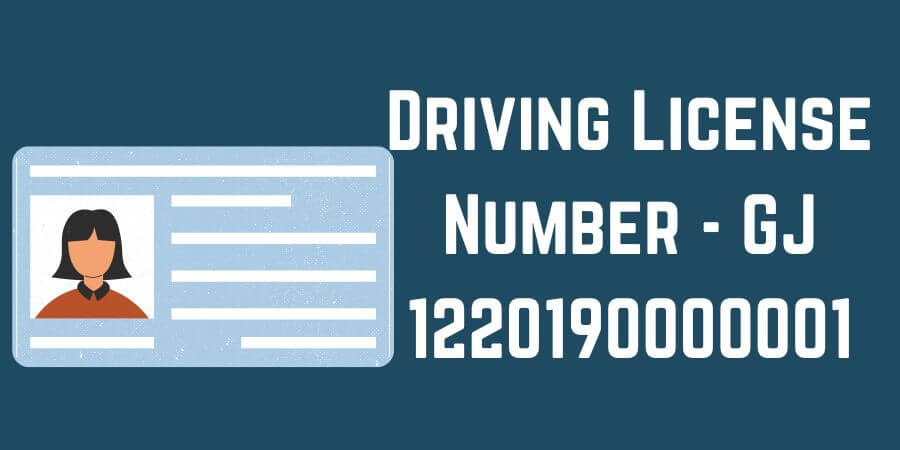
You need your DL number to check your details. Licences issued under the national system use a 15-character format, for example GJ12 20190000001:
| Part | Example | Meaning |
|---|---|---|
| State code (2 letters) | GJ | State that issued the licence (Gujarat) |
| RTO code (2 digits) | 12 | Issuing RTO within the state |
| Year (4 digits) | 2019 | Year the licence was issued |
| Serial number (7 digits) | 0000001 | Unique number for the licence holder |
Enter the number without spaces or dashes. If you have an older licence in a different format, such as RJ-13/DLC/12/123456, enter it as state + RTO code, the 4-digit year and the serial number padded with zeros to 7 digits: RJ1320120123456. If it still isn’t found, your licence may not be in the national database yet; ask the RTO that issued it to update your record.
What the Vehicle Classes on Your Licence Mean
| Class | You can drive |
|---|---|
| MCWOG | Motorcycles without gear, such as scooters |
| MCWG | Motorcycles with gear |
| LMV / LMV-NT | Private cars, jeeps and other light motor vehicles for personal use |
| LMV-TR | Light transport vehicles, such as taxis and light goods carriers |
| HGMV / HPMV | Heavy goods and heavy passenger vehicles, such as trucks and buses |
| E-rickshaw / E-cart | Battery-operated rickshaws and carts |
If a class you need is missing, you can add it by getting a learner’s licence for that class and passing its driving test. See our two-wheeler licence and driving licence application guides.
What To Do Based on Your Results
Does This Work in Every State?
Yes. All states, including Kerala, Karnataka, Maharashtra, Delhi and Uttar Pradesh, use the same national Sarathi system, so the steps above work everywhere. If your details are missing online, contact the RTO that issued your licence; find it in our RTO list in India.
Frequently Asked Questions
Where can I find my driving licence number?
It is printed on the front of your licence card, and shown in DigiLocker and mParivahan if you’ve added your licence there. You can also find it in the SMS or email the RTO sent when your licence was issued or renewed.
Can I check someone else’s driving licence?
The public DL status check needs both the licence number and the holder’s date of birth. Employers or vehicle owners who need to verify a driver should ask the driver to share these details or show their licence in DigiLocker.
Why does it say “no record found”?
Check the number format and your date of birth. Very old licences may not have been added to the national database; the issuing RTO can update your record.
How long is a driving licence valid?
A private (non-transport) licence is generally valid until you turn 40, or for 20 years from issue, whichever comes first. Transport licences are valid for a shorter period. Your exact validity date is shown in your DL details.
Is checking my licence details free?
Yes. Parivahan, Sarathi, DigiLocker and mParivahan are all free. Avoid websites that charge to show your licence details.